 Nodestra
Your plans, documents & mind maps
in one calm place.
One focused app for planning, mind-mapping, writing and studying — open it in any browser and your work is there, synced to your account.
Buy once → your key appears in your account → sign in at app.nodestra.net → yours for good.
See what you get
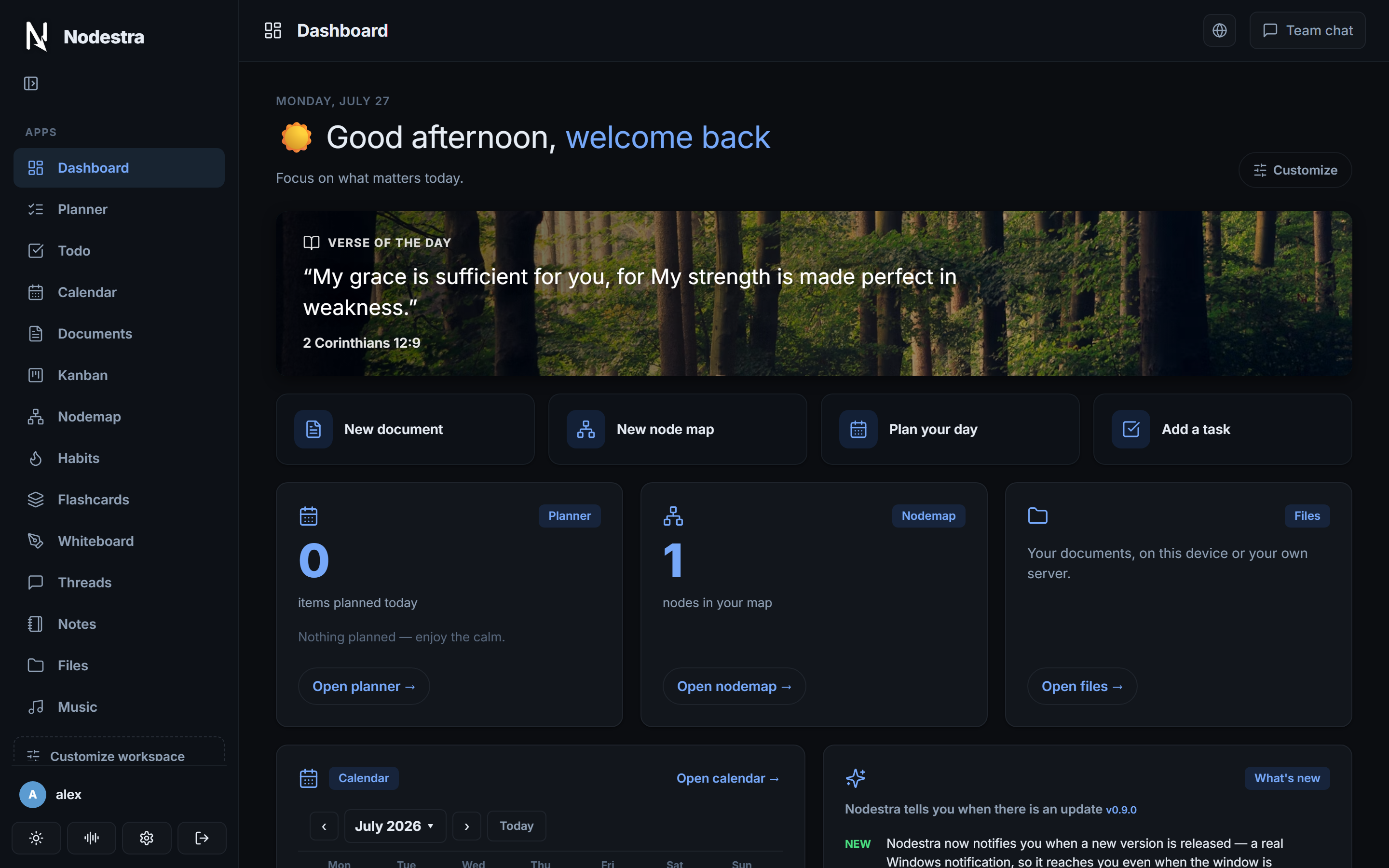
Every screenshot below is the actual app — the same build you'll sign in to.
Everything in one workspace
No more juggling five apps and a dozen browser tabs.
Planner & calendar
Plan your day on a timeline, log what actually happened, and see it on a live calendar.
Mind maps
An infinite node canvas with rich notes, document links and connected boards.
Document editor
A genuine editor — tables, page layout, headers and footers, and Word export.
Notes that link up
Notebooks and nested pages with [[wiki links]] and backlinks, for school or work.
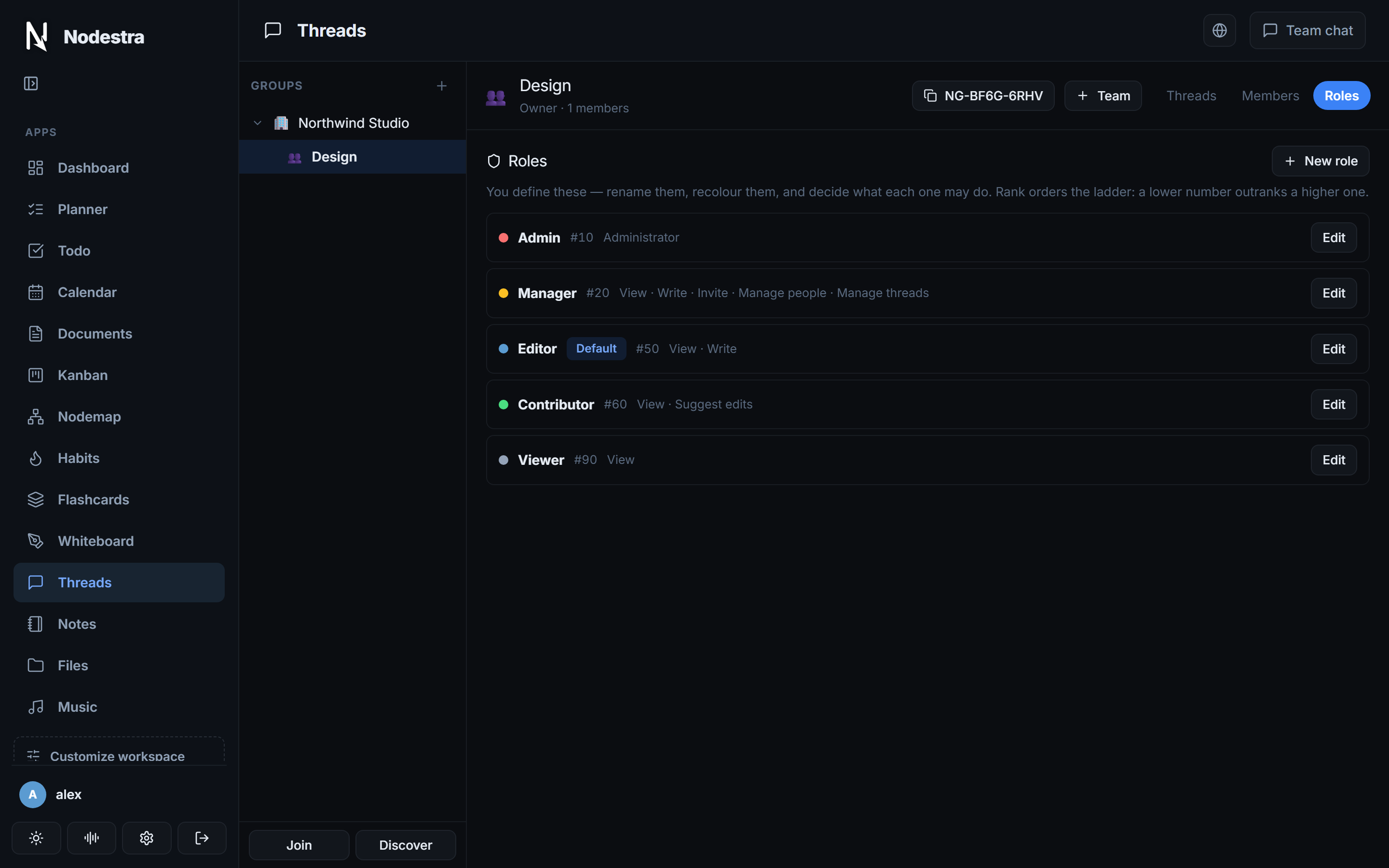
Threads & roles
Group conversations with a real permission ladder — read, write or suggest edits.
Kanban & todo
Boards, lists and habits that live inside the project they belong to.
Flashcards
Build decks and study with a clean flip-and-review flow.
Offline-first
Activate once online, then work anywhere — no connection required.
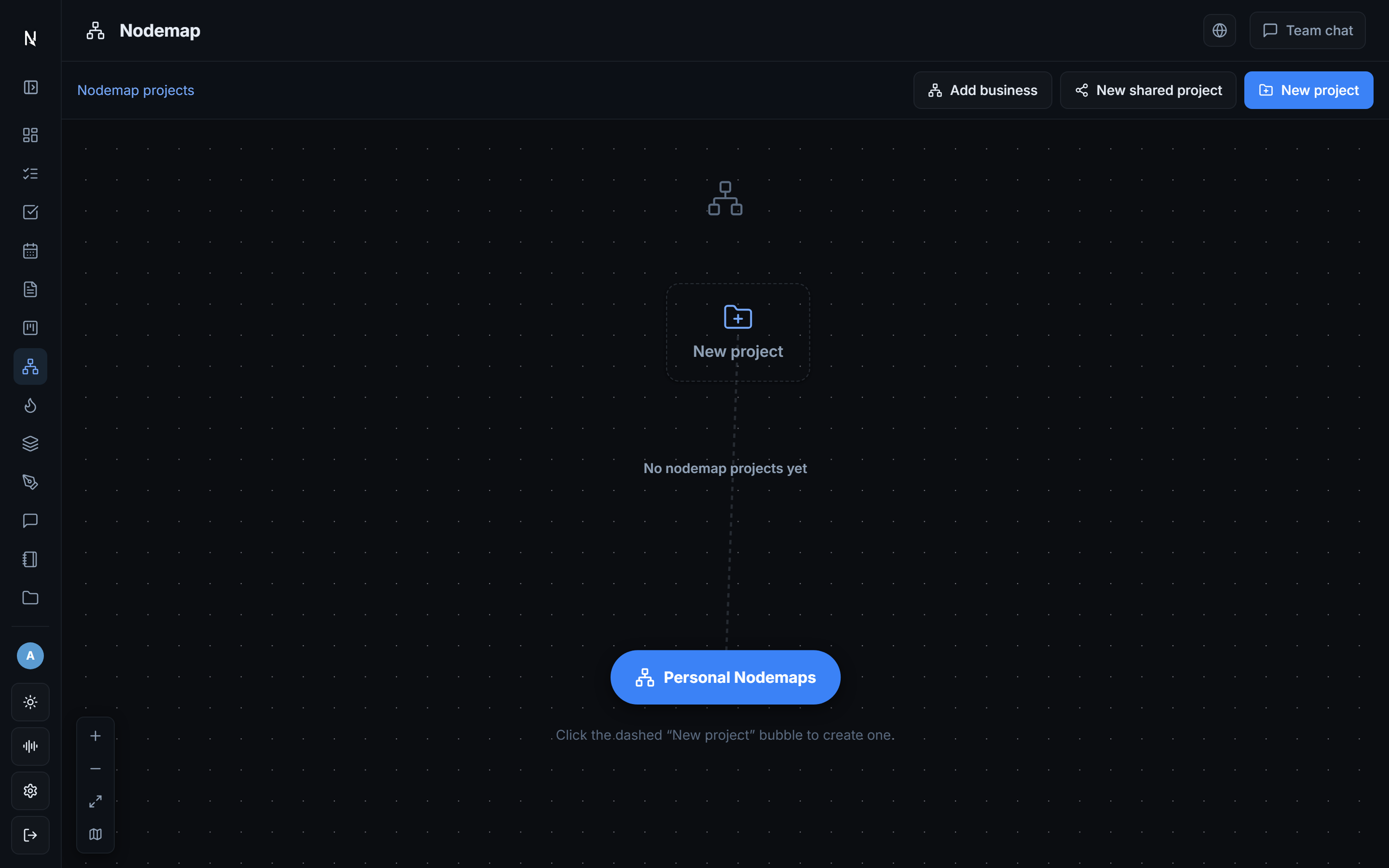
Think it through on a canvas
Start with one idea and branch out. Nodes carry real formatted notes, link to your documents, and group into projects you can share.
- Infinite canvas with snapping and grids
- Rich notes on any node
- Export a branch straight to Word
Notes that actually connect
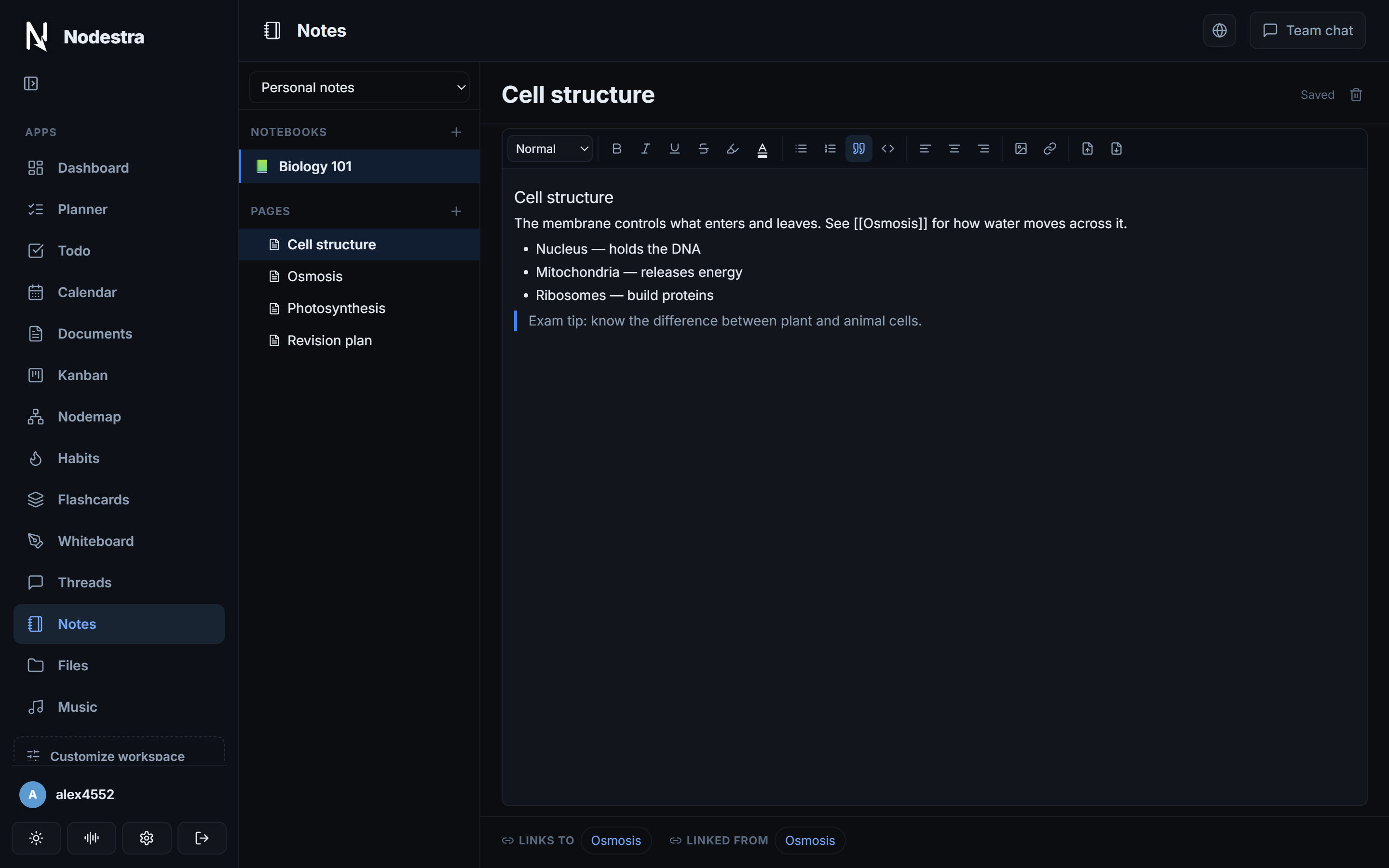
Notebooks and nested pages, the way OneNote organises and the way Obsidian links. Type [[a page name]] and Nodestra builds the link — and shows you everything pointing back.
- Nested pages, no separate "folders" concept
- Wiki links and automatic backlinks
- Personal notebooks, or shared with a group
Work together, with real permissions
Threads live inside a group, so who can read, write or only suggest an edit is decided once — by a role ladder you define — and every feature respects it.
- Roles you name, rank and colour yourself
- Read · write · suggest-edits modes per thread
- Business admins keep authority in every team beneath them
Pricing
Own the app once. Add cloud sync only if you want it.
Buy once, yours forever
- Every module unlocked
- Open it in any browser
- Your work saved to your account
- Free updates
- Your data stays yours
Optional add-on, for when you need more
- More storage than the 15 GB included
- Shared projects and live co-editing
- Automatic backups · cancel anytime
The one-time purchase gives you the full app with every module, in your browser, with 15 GB of storage. Nodestra Cloud is a separate subscription for more space, shared projects and live co-editing — buy the app first, add Cloud whenever you like.
Open Nodestra
You'll need a licence key to sign in. Don't have one? Get Nodestra →
Open Nodestra →Works in Chrome, Edge, Firefox and Safari · nothing to install
What's new
Every update, and what changed. Lifetime updates are included with your purchase.
Questions
Where do I use Nodestra?
In your browser, at app.nodestra.net. Sign in with your account and activate your licence key once — then it's there on any computer you sign in from. A downloadable desktop version is in the works.
Is my data private?
Your work is stored in your own private area of Nodestra's storage, reachable only by your signed-in account. It is never sold, shared or used to train anything.
What is Nodestra Cloud?
An optional subscription on top of the one-time purchase. Every account already includes 15 GB; Cloud adds more space, shared projects and live co-editing with other people.
Where's my licence key?
After purchase, sign in at account.nodestra.net and copy it — delivered over an encrypted session, not just email.
Which platforms are supported?
Any modern browser — Chrome, Edge, Firefox or Safari, on Windows, macOS, Linux or a tablet. Installable desktop apps are on the roadmap.
How do refunds work?
Payments and refunds are handled by our payment provider — contact support and we'll help.